WISPR NOTETAKER REVIEW 2026: FEATURES, PRICING, PROS AND CONS
BOT-FREE AI MEETING NOTES FOR MAC AND WINDOWS
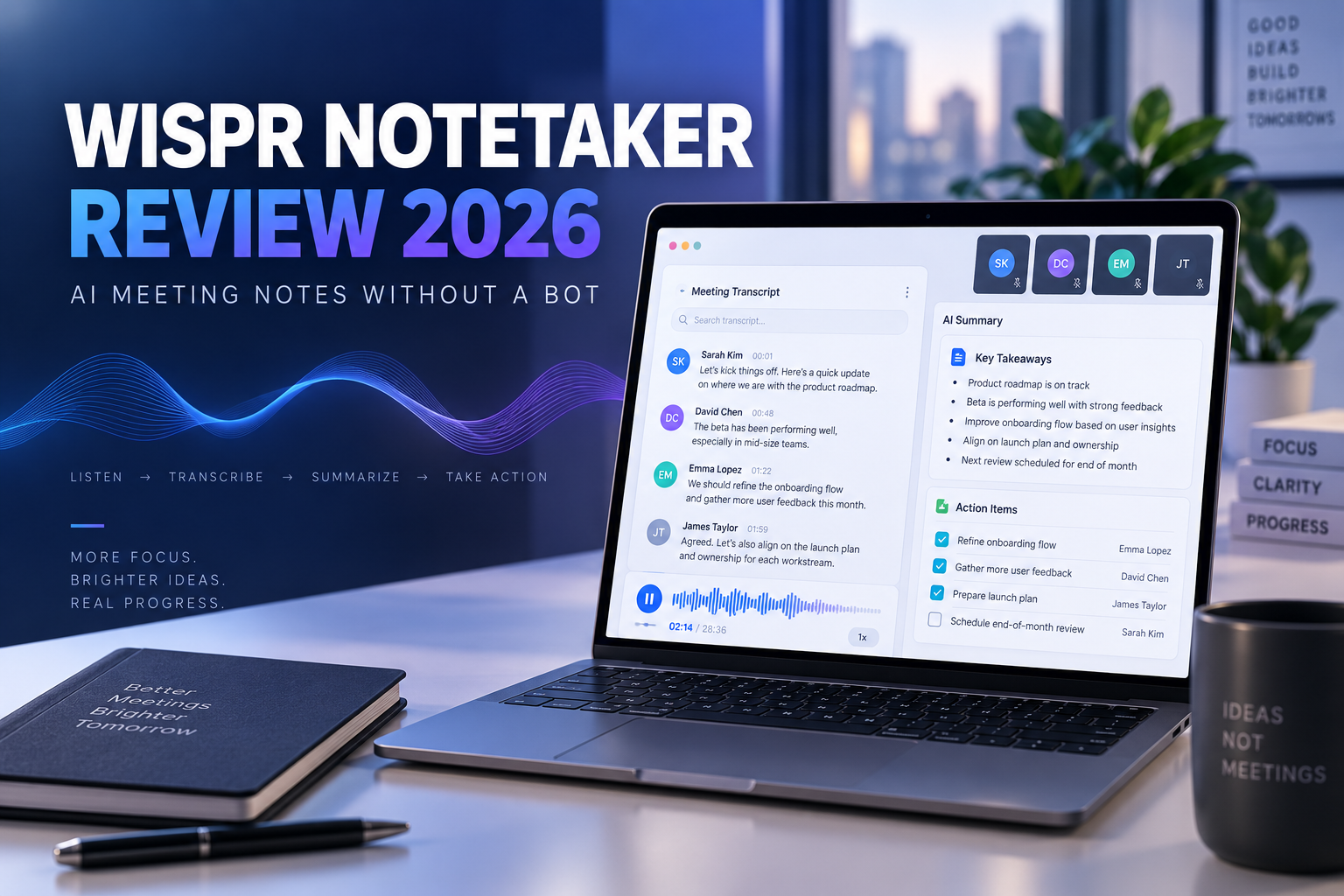
Wispr Notetaker is a bot-free AI meeting assistant designed to capture conversations, generate accurate transcripts, identify speakers, summarize key decisions, and organize action items without adding a visible bot to the call. Available for Mac and Windows, it works across popular meeting platforms and connects meeting notes with AI tools such as ChatGPT, Claude, and Gemini. In this independent Wispr Notetaker review, we examine its main features, pricing, advantages, limitations, privacy considerations, and ideal users to help you decide whether it fits your meeting workflow.
Wispr Notetaker is a bot-free AI meeting assistant designed to capture conversations, create transcripts, identify speakers, summarize key decisions, and organize action items without adding a visible automated participant to the call. Developed by the team behind Wispr Flow, it combines AI meeting notes with Flow’s voice-to-text dictation tools in one platform.
Instead of inviting a bot into Zoom, Google Meet, Microsoft Teams, or another meeting platform, Wispr Notetaker captures audio through the user’s computer. This approach can make conversations feel more natural because participants do not see an additional recording bot in the meeting. It also allows the application to work across different services, including Zoom, Google Meet, Microsoft Teams, Slack Huddles, Discord, browser calls, and other conversations played through the computer.
After installing Wispr Flow on a Mac or Windows computer, users can start Notetaker when a meeting begins. The application produces a live transcript during the conversation and creates a more refined record after the meeting. The finished notes can include speaker labels, important topics, decisions, deadlines, responsibilities, and suggested next steps.
Wispr Notetaker is designed for professionals who spend a meaningful part of their week in meetings and need reliable information afterward. It may be particularly useful for founders, executives, consultants, sales professionals, recruiters, marketers, customer-success teams, researchers, project managers, and creators. The greatest value is likely to come from using meeting information to prepare follow-up emails, project updates, proposals, briefs, customer insights, and action lists.
One of Wispr Notetaker’s most important features is its use of context to improve transcription. The platform can reference the people listed on a calendar invitation, names and specialized terminology stored in the user’s personal dictionary, and information from supported connected tools. This may help it capture uncommon names, company terminology, product names, acronyms, and industry-specific language more accurately than a transcription system that processes a conversation without prior context.
During a meeting, the live transcript separates the user from other speakers. After the conversation ends, the refined transcript attempts to add full speaker names. If a participant is missing or incorrectly identified, the user can assign the correct name and apply the correction throughout the transcript.
No transcription platform is completely accurate in every environment. Microphone quality, background noise, overlapping speech, accents, internet interruptions, and shared conference-room audio can all affect the final result. Important quotations, financial figures, deadlines, legal commitments, and sensitive statements should always be reviewed against the complete transcript before being shared or used in formal documents.
Wispr Notetaker also creates AI-generated summaries. Instead of requiring users to read an entire transcript, it can highlight the central topics, decisions, timelines, responsibilities, and next steps discussed during the meeting. This can reduce the time required to prepare internal recaps, follow-up messages, project updates, and task lists.
The “What Did I Miss?” feature is designed for moments when someone loses track of a conversation. Notetaker can summarize the recent portion of the meeting and provide the immediate context without requiring the user to interrupt the other participants. This may be helpful during long discussions, back-to-back meetings, or conversations that move quickly between different subjects.
Users can also ask questions across their previous meeting notes. Instead of opening individual transcripts and searching manually, someone could ask what was decided about a project, which launch problems were mentioned, or who accepted responsibility for a particular action. Wispr searches the available meeting information and connects its response to the underlying source.
Meeting notes can also become contextual information for AI tools such as ChatGPT, Claude, Gemini, and other applications that support the Model Context Protocol, or MCP. This can help users draft follow-up emails, prepare summaries, identify recurring customer concerns, review past decisions, and organize next steps without repeatedly copying information from one platform to another.
Connections with external AI services should be configured carefully. Before making confidential meeting information available to another platform, users should review permissions, privacy settings, data policies, and their organization’s internal security requirements.
Wispr Notetaker currently runs on Mac and Windows. Mobile Notetaker support is on the company’s roadmap, so users who need to record directly through an iPhone, iPad, or Android device should confirm the latest availability before choosing the platform.
The official product information lists transcription support for 21 languages, including English, Spanish, French, German, Portuguese, Italian, Dutch, Russian, Polish, Swedish, Danish, Czech, Chinese, Japanese, Korean, Hindi, Marathi, Bengali, Urdu, Arabic, and Turkish. Accuracy may vary by language, accent, microphone quality, and specialized terminology, so users should test the application with a real meeting in their primary language.
Because Wispr Notetaker records through the computer, it can also be used for meetings that are not included on a connected calendar and for some in-person conversations captured through the device’s microphone. Performance in a conference room will depend on the size of the room, microphone position, background noise, distance between participants, and the number of people speaking.
Privacy and recording consent require careful attention. Wispr states that meeting audio is encrypted and stored only temporarily on the device and, in some cases, in secure cloud storage for purposes such as transcription, quality verification, meeting recovery, and troubleshooting. The company also states that audio is automatically deleted after a limited period and that Notetaker does not create voiceprints or biometric profiles.
Users can delete meetings, transcripts, and notes. Business and enterprise customers may also have access to additional administrative and privacy controls. However, the absence of a visible meeting bot makes participant notification especially important. Users should always inform everyone before recording or transcribing a video call, phone conversation, or in-person meeting. Recording and consent laws vary by country, state, and situation, and users remain responsible for following the rules that apply to them.
Wispr Notetaker is included within Wispr Flow plans. The Free plan costs $0 and provides limited Notetaker access, along with Flow dictation, a personal dictionary, snippets, and the ability to use meeting notes with compatible AI tools. The Pro plan is listed at $15 per user per month with monthly billing and adds expanded usage, longer Notetaker history, shared dictionaries and snippets, team workspace features, centralized billing, analytics, priority support, and early access to new features.
Growth and Enterprise plans are intended for organizations that need unlimited Notetaker access, stronger administrative controls, security features, and centralized management. Prices, limits, and included features can change, so prospective customers should confirm the current plan details directly on Wispr Flow’s official pricing page before subscribing.
Wispr Notetaker’s main advantages include bot-free capture, support for several meeting platforms, availability on Mac and Windows, contextual speaker identification, AI summaries, action-item extraction, cross-meeting questions, support for 21 transcription languages, and connections with ChatGPT, Claude, Gemini, and MCP-compatible tools. The free plan also gives new users a practical way to test the experience.
Its limitations should also be considered. Mobile Notetaker support is not currently available, free usage has limits, transcript quality depends on audio conditions, and AI-generated summaries still require human review. Users must also manage recording consent themselves because no visible bot automatically alerts every participant.
Alternatives include Granola, Otter.ai, Fireflies.ai, Fathom, and tl;dv. Granola may appeal to users who want to combine personal notes with AI assistance. Otter.ai offers an established searchable transcription workflow. Fireflies.ai provides broad meeting integrations and team features. Fathom is known for its free offering, while tl;dv provides recording and analysis tools for customer-facing teams.
Wispr’s strongest distinction is the combination of bot-free desktop capture, contextual transcription, speaker identification, Flow dictation, and connections with external AI tools. The best choice will depend on the user’s operating system, meeting volume, preferred languages, privacy requirements, workflow, and budget.
Wispr Notetaker may not be necessary for people who attend very few meetings, prefer handwritten notes, or do not need searchable transcripts and AI summaries. It may also be unsuitable for users who need a mobile-first notetaker today, require a language outside the currently supported selection, or depend on completely unlimited free usage.
Overall, Wispr Notetaker is a promising option for Mac and Windows users who want accurate, actionable meeting notes without adding a visible bot to every call. Its value is strongest when conversations need to become follow-up emails, decisions, project updates, tasks, research, or reusable context for other AI tools. The free plan offers the most practical way to test the platform with a real meeting before deciding whether a paid plan is worthwhile.
This page contains affiliate links. If you sign up through one of these links, Global StackWise may earn a commission at no additional cost to you. This review was independently researched and written to help readers make an informed decision.
AFFILIATE DISCLOSURE
Some links on this page are affiliate links. This means Global StackWise may earn a commission if you make a purchase through one of these links, at no additional cost to you.
Affiliate partnerships do not influence the conclusions presented in our reviews. Our goal is to provide clear, balanced, and useful information to help readers evaluate digital products and tools according to their own needs.